
Open source · Apache 2.0 · macOS and Linux
Scouter: See what's running on your machine, and what looks wrong.
Scouter is a free, open-source security agent for macOS and Linux. It runs on the machine you're watching, reads what's happening in real time, and draws the whole picture: Every process, the connections it opens, how it persists, and anything out of place. No account, no cloud, no dependencies — just Python's standard library and your browser.
The agent
A read-only sensor that watches one machine, in real time.
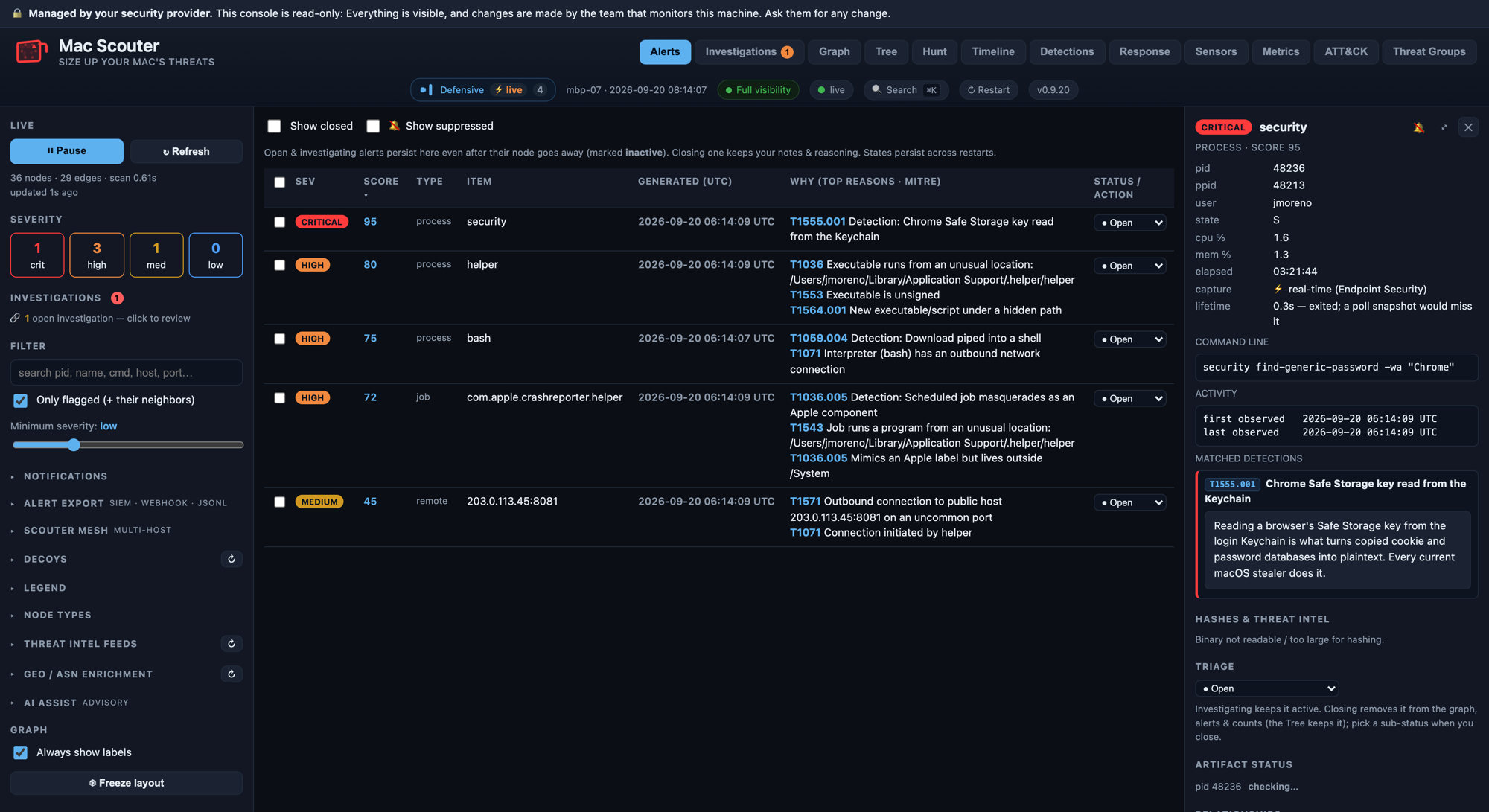
On macOS, Scouter listens to Apple's own Endpoint Security framework for live events; on Linux it reads the kernel's own records. It scores what it finds against heuristics tagged to MITRE ATT&CK, enriches connections with threat intelligence and geo/ASN data, and draws it all as an interactive graph you can pivot through. Everything stays on the machine.
- Process lineage: What launched what, and from where
- Persistence: Launch agents, login items, cron, systemd and shell profiles
- Network connections, enriched with threat intel and owner/geo data
- Logins, accounts, privilege changes and file integrity
- macOS privacy permissions, like Full Disk Access granted to unknown apps
- Decoy credentials that no real user touches, so any use of one is an intrusion signal
- A triage queue for alerts, with optional AI-assisted analysis and threat hunting
It opens a console in your browser at http://127.0.0.1:8787/, reachable only from the
machine itself. Containment is opt-in and reversible: Scouter can suspend a process, quarantine a
persistence item or block an address, but only once you arm it.
User space only
No kernel driver, so a bad update can't blue-screen or boot-loop a machine.
Your data stays put
History lives on the machine. Nothing is uploaded, and there's no account to make.
Pure standard library
No pip installs and no third-party code to vet — just Python 3, already on macOS.
Opt-in containment
Reversible suspend, quarantine and block. Off until you turn it on.
Who it's for
One machine or a handful — watched by you.
Scouter runs per machine, with a console on each. It's for anyone who wants to see what their own computer is doing, without sending telemetry to a vendor.
Individuals and home users
Keep an eye on your own Mac or Linux box and catch the moment something sketchy runs, persists or phones home.
Small teams and homelabs
Put an agent on each machine, each with its own local console. No central server required to get value from a single host.
Researchers and responders
Readable Python, ATT&CK-mapped detections and a history you can hunt over with read-only queries.
Quick start
Running in a couple of minutes.
Clone the repository, then run python3 agent.py from inside it. Your browser opens to
http://127.0.0.1:8787/. There's nothing to install — it uses only Python 3 (already on
macOS) and your browser.
- Clone it with
git clone https://github.com/superdedooperboy/Scouter-Agent.git - Enter the folder with
cd Scouter-Agent - Run
sudo python3 agent.pyfor a full-system view, or withoutsudofor your own processes only - For always-on protection, install it as a background service — the README walks through it
Also open source
Scouter Browser Defense.
A companion browser extension that catches "ClickFix" paste-this-command scams and phishing pages before they bite — on its own, or paired with the agent over localhost for live blocklist checks and one-click blocking.
See the browser extensionWant it watched for you?
The managed service.
Scouter is the agent behind our Managed Detection and Response service. We run it across a fleet from one console, with automated containment around the clock and a named analyst during business hours. If you'd rather not self-host, we'll do the watching.
See the platformSize up your threats.
Free and open source. Put it on a machine you want to watch, and see what's really running.